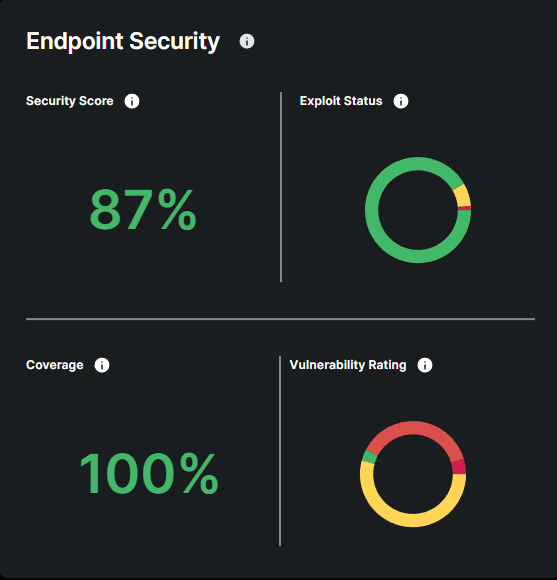
Provides an overview of your company's current level of endpoint protection (overall security score, number of attacks remediated, coverage and detected vulnerabilities including exploit status and severity)
What is a Risk Score?
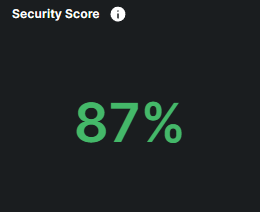
The Risk Score measures the overall security risk of your endpoints, based on factors such as vulnerability, coverage, and detection levels. It gives a quick snapshot of your security posture, helping you understand how vulnerable your systems are to potential threats. The Risk Score is represented as a percentage, with higher scores indicating lower risk and stronger security, while lower scores signify greater vulnerabilities and higher risk
Risk Score Levels & Color Indicators:
🟢 (80% - 100%) Low Risk
Your security is great, with minimal vulnerabilities and strong protection in place. Your organization is highly secure.
🟡 (60% - 79%) Moderate Risk
Your security posture is good, with only minor vulnerabilities. Your system is well-protected, though there may be small areas to improve.
🟠 (40% - 59%) High Risk
There are noticeable security weaknesses that could be exploited. Strengthening your defenses is necessary to lower your risk.
🔴 (0% - 39%) Critical Risk
Your security posture is weak, with significant vulnerabilities. Immediate action is required to mitigate threats and improve protection.
By monitoring your Risk Score, you can easily assess the current state of your security and identify areas where improvements are needed to reduce risk.
What is Exploit Status?
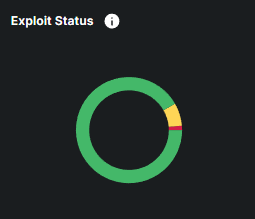
Exploit Status shows the likelihood of vulnerabilities on your endpoints being exploited by attackers. It categorizes vulnerabilities based on their risk of exploitation, helping you prioritize which ones need immediate action.
Exploit Status Levels & Color Indicators:
🔴Actively Used
These vulnerabilities are currently being exploited in the wild. This means that attackers are actively using these weaknesses in real-world cyberattacks. Immediate action is required to mitigate these risks.
🟠Easily Accessible
These vulnerabilities are easily exploitable. Attackers could quickly take advantage of them if left unaddressed. Prompt action is needed.
🟡Available
Vulnerabilities with known exploits that may not be actively used but are available. Regular monitoring and timely updates are recommended to prevent exploitation.
🟢Unproven
Vulnerabilities with no known exploits. These present minimal risk but should still be monitored for any changes in exploitability.
By tracking your Exploit Status and the associated colors, you can quickly identify which vulnerabilities are the most urgent and require immediate attention, helping you mitigate security risks effectively.
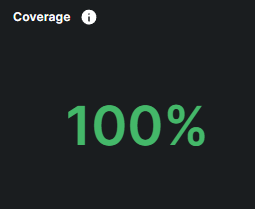
What is Coverage?
Coverage show how well your devices are protected. it is calculated by comparing the number of devices you provided at signup with the number of devices where our security sensors are actively installed and reporting. Full coverage ensures all your devices are protected, contributing to a stronger overall security posture.
Coverage Levels & Color Indicators:
🔴 Low Coverage (0% - 39%)
A significant number of devices are unprotected, leaving your environment highly vulnerable. Immediate action is required to enhance security
🟠 Moderate Coverage (40% - 59%)
Coverage is improving, but notable gaps still exist. Further expansion will greatly strengthen security.
🟡 Good Coverage (60% - 79%)
Most critical devices are protected, with only minor gaps remaining. Addressing these will further enhance security.
🟢 Excellent Coverage (80% - 100%)
Nearly all devices are secured, providing optimal protection and minimizing risk.

What is a Vulnerability Rating?
The Vulnerability Rating categorizes vulnerabilities based on their severity, helping you prioritize which vulnerabilities pose the greatest risk and need to be addressed first.
Vulnerability Rating Levels & Color Indicators:
🔴CRITICAL
These vulnerabilities pose an immediate and severe threat to your system’s security. They must be addressed immediately to prevent major security incidents.
🟠HIGH
High-risk vulnerabilities that present a significant risk of exploitation. These should be addressed as soon as possible to mitigate potential threats.
🟡 MEDIUM
Moderate vulnerabilities that could be exploited under certain conditions. Timely remediation is important to prevent further risks.
🟢 LOW
Low-risk vulnerabilities that are less likely to be exploited. These pose minimal threat but should still be monitored and addressed over time.
By monitoring the Vulnerability Rating and its associated colors, you can quickly identify and prioritize the most critical vulnerabilities, ensuring your system remains protected against major threats.
Digital Asset Security provides real-time assessment of the security status of different digital asset categories including Email, Browser, Externak Attack Surface and Cloud Storage.
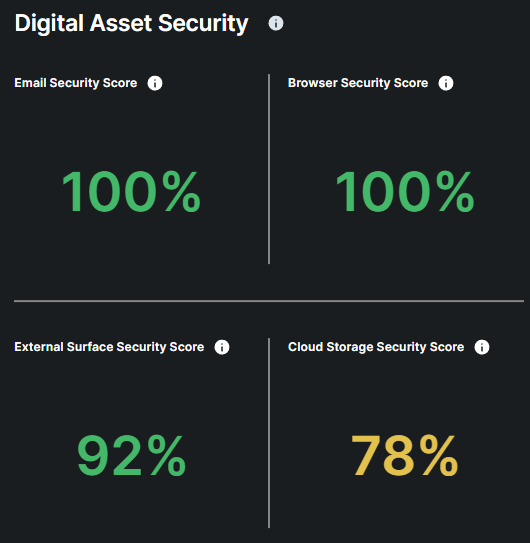

What is the Email Security Widget?
The Email Security widget provides a quick view of how well-protected your organization’s email system is from harmful emails like spam, phishing attempts, and malware. The percentage displayed represents a real-time ratio of safe emails and potentially harmful emails your organization has received.
How to Interpret the Email Security Score:
🟢 (80% - 100%) Low Risk
Your email system is highly secure, with minimal detection of unsafe emails. Continue regular monitoring to maintain this level of protection.
🟡 (60% - 79%) Moderate Risk
Some potentially harmful emails are being detected. Review email filtering rules and monitor for any threat patterns.
🟠 (40% - 59%) High Risk
There is a notable increase in unsafe emails. Enhanced security measures are recommended, such as reviewing email security policies and strengthening filtering solutions.
🔴 (0% - 39%) Critical Risk
A high volume of harmful emails is being detected. This indicates a severe threat to your email system. Immediate action is required to improve security and prevent potential breaches.
By monitoring your email security score and its associated color, you can easily identify how well-protected your organization is from email-based threats and when further action may be required to maintain optimal protection.
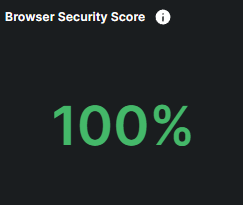
What is the Browser Security Widget?
The Browser Security widget offers a quick overview of how well-protected your employees’ web browsing activities are from unsafe or malicious content, such as harmful websites and online threats. The percentage displayed indicates the ratio of safe browsing sessions to potentially harmful sessions.
How to Interpret the Browser Security Score:
🟢 (80% - 100%) Low Risk
Your browsing environment is highly secure, with minimal detection of unsafe content. Regular monitoring is recommended to maintain this level of protection.
🟡 (60% - 79%) Moderate Risk
Some potentially harmful websites are being detected. Review browsing security settings and monitor user behavior for emerging threats.
🟠 (40% - 59%) High Risk
There is a significant increase in unsafe browsing sessions. Strengthening security controls, such as implementing stricter content filtering and reviewing policies, is strongly advised.
🔴 (0% - 39%) Critical Risk
A high volume of harmful browsing activity is being detected. This indicates a severe security threat. Immediate action is required to enhance protection and prevent potential breaches.
By monitoring your browser security score and its associated color, you can easily assess how well-protected your organization is from web-based threats and identify when further action may be necessary to maintain optimal security
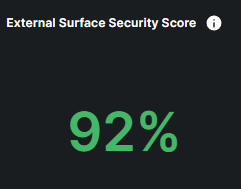
The External Attack Surface widget provides a quick overview of your organization's exposure to potential external threats, measuring the number of vulnerable entry points that could be exploited by attackers.
How to Interpret the External Attack Surface Score:
🟢(80% - 100%): Your organization external surface is highly secure, with minimal detection of unsafe content.
🟡 (60% - 79%): Some key vulnerabilities have been identified. It's advisable to review your website settings and monitor your website behavior for any emerging patterns of threats.
🟠 (40% - 59%): There is a significant increase in insecure configurations and potential web attacks. Enhanced security measures should be implemented to mitigate risks, considering additional content filtering solutions.
🔴 Red (0% - 39%):: A high volume of severe vulnerabilities is being detected. This indicates a severe threat to your external attack surface, and immediate actions are required to improve your website and organization’s security posture.
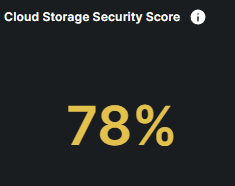
What is the Cloud Storage Security Widget?
The Cloud Storage Security widget provides a quick overview of how well-protected your organization's cloud storage environment is against potential file leaks and insider threat behaviors. It is determined by various indicators, including instances of Data Loss Prevention (DLP) rule violations by your employees.
How to Interpret the Cloud Storage Security Score:
🟢 (80% - 100%) Low Risk
Your cloud storage environment is highly secure, with minimal detection of Data Loss Prevention (DLP) rule violations. Continue monitoring to maintain this level of security.
🟡 (60% - 79%) Moderate Risk
A few DLP rule violations have occurred. Review security settings and ensure compliance measures are effective.
🟠 (40% - 59%) High Risk
There is a significant increase in DLP rule violations, indicating a need for heightened vigilance. Strengthening security policies and monitoring user activity is strongly advised.
🔴 (0% - 39%) Critical Risk
A high volume of DLP rule violations is being detected. This poses a severe threat to your cloud storage environment. Immediate action is required to enhance security and prevent data loss.
By monitoring your cloud storage security score, you can easily assess how well-protected your organization is from insider threats and malicious files, and identify when further action may be necessary to maintain optimal security.
Human Risk illustrates the potential security risks posed by your employees within the organization .
Human Security Score
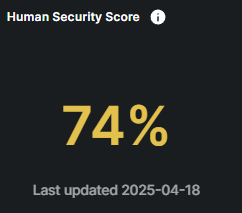
The Human Risk Score evaluates the potential risk associated with employee awareness, behaviors, and actions within the organization. A higher score indicates a greater likelihood of human errors or malicious activities that could compromise security, such as violating security policies or mishandling sensitive information. However, the more online security training employees complete throughout the year and the fewer phishing simulation exercises they fall for, the lower their risk score becomes, reflecting improved security awareness and safer behaviors.
How to Interpret the Human Risk Score:
🟢 (0 - 360): Low Risk, indicating strong security measures and minimal vulnerabilities.
🟡 (361 - 600): Moderate Risk, suggesting some weaknesses that require attention.
🟠 (601 - 720): High Risk, highlighting significant security concerns that need immediate action.
🔴 (Above 720): Critical Risk, signaling major security issues that require urgent intervention.
Breach Score
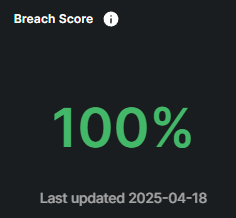
The Breach Score reflects the risk associated with internal employees whose accounts have been involved in previous data breaches. A higher score indicates that their credentials have been exposed, making them more vulnerable to phishing and account compromise attacks. Employees with breached accounts should be closely monitored, and it's critical to ensure they follow best practices, such as creating strong, unique passwords and enabling two-factor authentication (2FA), to mitigate potential risks and enhance security.
How to Interpret the Breach Score:
🟢Good, indicating no breaches have occurred.
🔴Bad, with any score indicating that breaches have occurred, with higher scores reflecting more critical incidents.
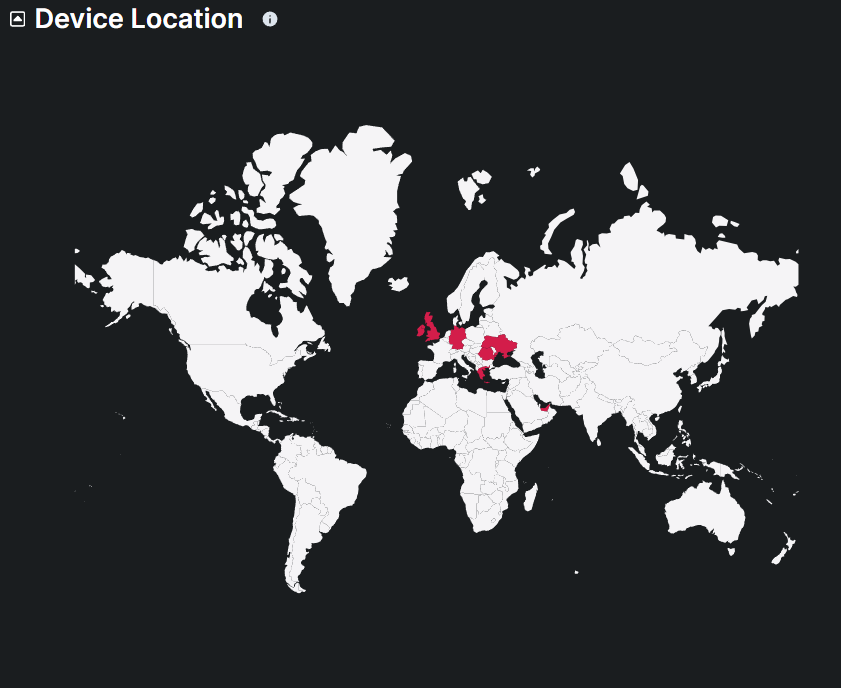
This map displays the geographical distribution of users in the organization accessing the digital assets, highlighting the countries with active users in the last 24 hours. Monitoring the locations of device access helps in identifying abnormal locations and ensuring compliance with regional security policies.